Verdict reference
Esta página aún no está disponible en tu idioma.
Every possible outcome of scanning a product code, what it means, and what to do. This is the definitive list.
Authentic
Section titled “Authentic”| Shown | Meaning | What to do |
|---|---|---|
| Authentic | The code exists, everything in its chain is active, your profile is entitled to it, and nothing about the scan is unusual. | Proceed. Full product details and history are displayed. |
Authentic, with a warning
Section titled “Authentic, with a warning”The verdict still reads Authentic and full details are shown, but a secondary line explains why the scan deserves attention. There are exactly three such cases.
| Secondary message | Why it appears | What to do |
|---|---|---|
| Verified multiple times | You — this same profile — have already checked this exact code before. | Normal if you are re-checking your own stock. Suspicious if you are seeing the item for the first time, because it suggests a duplicate. |
| Held by another verifier | Another profile of your own type already holds custody of this code and has not transferred it to you. | The goods may not have been formally handed over. Ask the previous holder to transfer custody (Transfers & custody). |
| This code has been verified an unusual number of times | The code has passed the ceiling set by its brand — far more checks than one physical item would normally receive. | Treat as a strong counterfeit signal. The original may be genuine while the code has been copied onto many fakes. Report it to the brand. |
Non Authentic
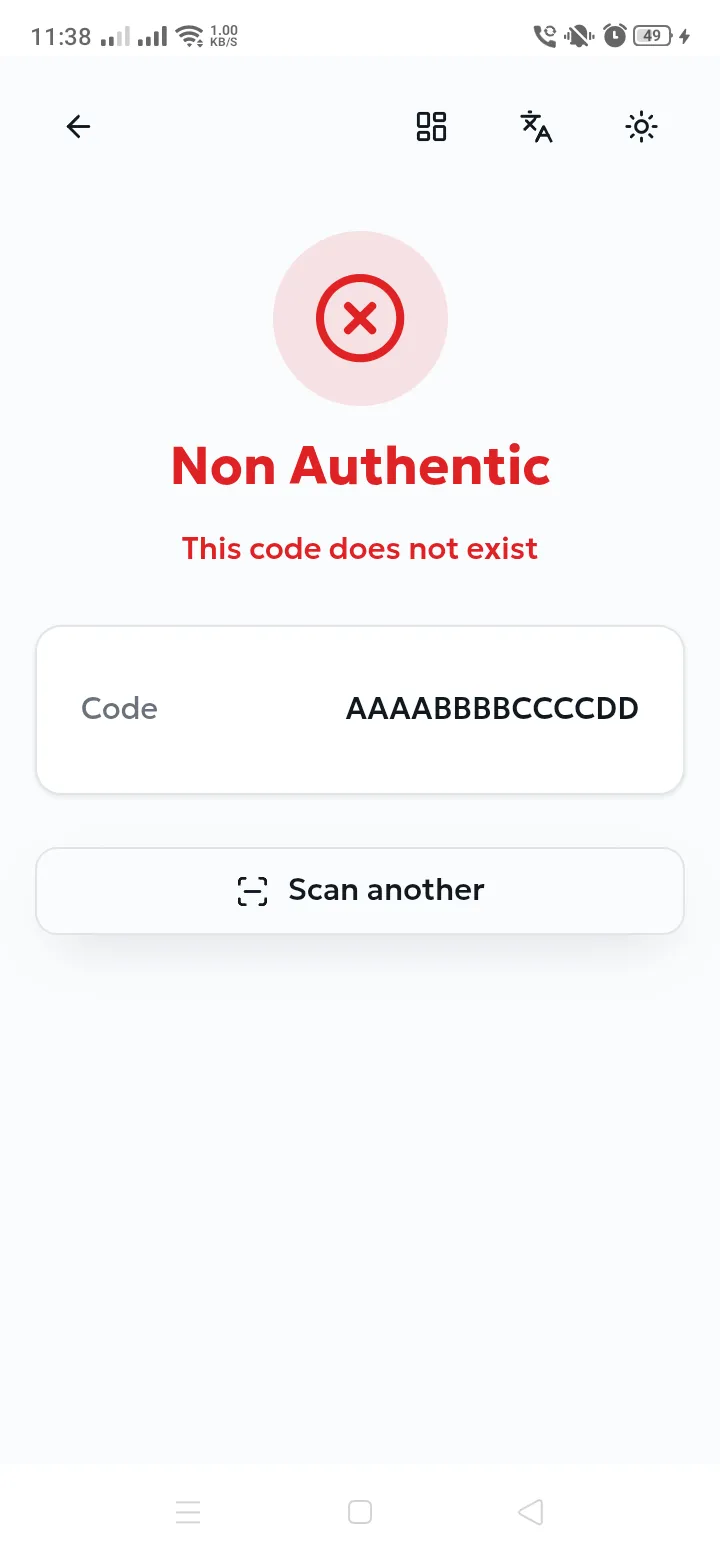
Section titled “Non Authentic”A red screen with no product details — nothing is disclosed about a code that cannot be trusted.
| Secondary message | Why it appears | What to do |
|---|---|---|
| This code does not exist | No such code was ever issued. Either it is invented, or it was mistyped. | Re-check the characters if you typed it. If it was scanned from a QR code, treat the item as counterfeit. |
| This product has been withdrawn | The code was genuine, but the brand has archived it — or archived its batch, product or brand. This is how a recall or a withdrawn batch is enforced. | Do not sell or accept the item. Contact the brand: the withdrawal is deliberate. |
Refusals — when the scan cannot be performed
Section titled “Refusals — when the scan cannot be performed”These appear as a Verify failed message rather than a verdict screen, and return you to the camera. They say something about your profile, not about the item.
| Message | Why it appears | What to do |
|---|---|---|
| You are not allowed to verify this code type | The active profile’s type does not match the code’s type — for example a Control profile scanning a Public consumer code. | Switch to the matching profile (Switching the active profile) and scan again. |
| You are not allowed to verify a code from a different creator | Your profile is restricted to one brand owner’s codes, and this code belongs to another. | Expected when you hold a brand-specific inspection profile. Use the profile issued by the right brand. |
| This verifier does not exist | The stored profile is no longer recognised by the server. | Remove the profile and add it again (Adding a professional profile). |
| Unable to retrieve your location… | The profile requires a position and none is available. | Enable location — see When location is required. |
| Select a verifier first | No profile is active on the device. | Open Verifiers and select or add one. |
| Please enter a valid code | The manually typed code is too short. | Type the full code as printed. |
| Camera unavailable — enter the code manually | Camera permission was refused, or no camera is available. | Grant camera access in the device settings, or use manual entry. |
| An error occurred | An unexpected server-side problem. | Try again; if it persists, contact support with the code and the time (Support). |