
The verification app
Esta página aún no está disponible en tu idioma.
The scanning experience, used by customers, shops, distributors and inspectors. No account, no configuration.
Where to find it
Section titled “Where to find it”| Android app | Web browser | |
|---|---|---|
| Opens on | The verification home screen | The dashboard, unless you open /verify |
| Camera scanning | Yes | Yes, where the browser allows camera access |
| Location recording | Yes, precise | Approximate |
| Best for | Daily field use | Occasional checks, desktop verification of documents |
Both are the same application and behave identically. Installation is covered in Installing the Android app.
The home screen
Section titled “The home screen”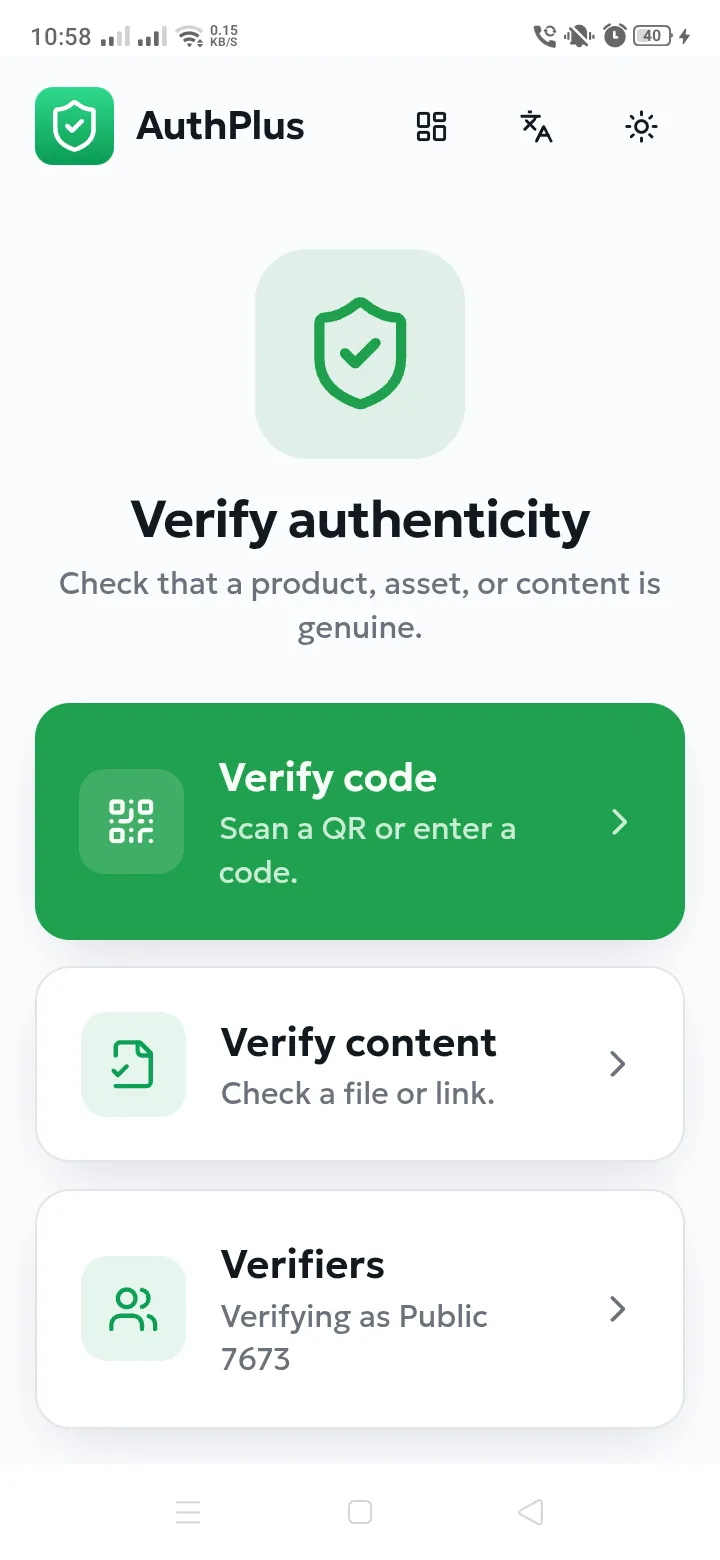
| Element | What it does |
|---|---|
| Verify code | Opens the camera to scan a QR code, or lets you type a code by hand. |
| Verify content | Checks whether a file or a link is a certified document. |
| Verifiers | Manages the profiles on this device. The subtitle shows the active one — “Verifying as …”. |
| Grid icon (top) | Switches to the AuthPlus dashboard, for users who also have an account. |
| Language icon | Switches between English, French and Arabic. |
| Sun / moon icon | Switches between light and dark appearance. |