
Managing your profile
Esta página aún no está disponible en tu idioma.
Everything you can change about your own account, from the avatar menu → Profile.
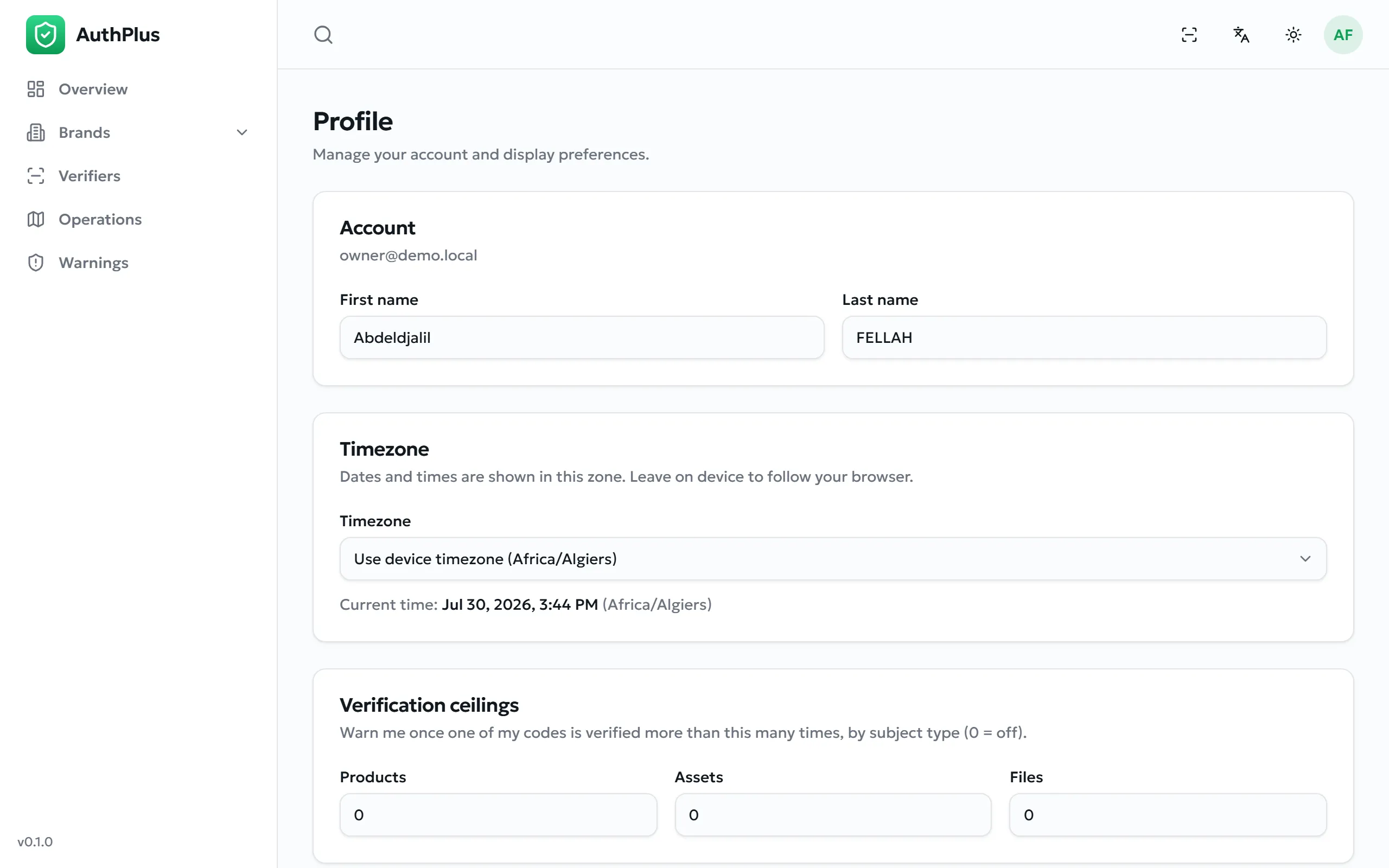
Name and timezone
Section titled “Name and timezone”Your first and last name are what other users see beside the records you create — for example in the Created by column of the operations list. Both are required.
The Timezone setting governs every date and time displayed in the dashboard: operations, warnings, issuance dates, everything. Set it to the zone you actually work in so that “10:32” means what you expect. A live clock next to the field shows the current time in the selected zone.
Your verification ceilings
Section titled “Your verification ceilings”A ceiling is the number of times one of your codes may be verified before AuthPlus raises an over-verified warning. It is the main automatic anti-counterfeiting signal: a genuine item is normally checked a handful of times, while a code copied onto a thousand fakes is checked constantly.
| Field | Applies to | Default |
|---|---|---|
| Max verifications — products | Codes on product batches | 25 |
| Max verifications — assets | Codes on individual valuables | 25 |
| Max verifications — files | Codes certifying documents | 0 (disabled) |
Setting a value to 0 disables the ceiling for that type — no over-verified warning will ever be raised. Files default to 0 because a public certificate is expected to be checked by many people.
Your personal ceiling takes precedence over the platform-wide default set by an administrator (Global settings).
Changing your password
Section titled “Changing your password”Prerequisites. Either your current password, or access to your mailbox.
- Open Profile and find the security card.
- Enter your new password (at least 8 characters).
- Prove it is you, in one of two ways:
- type your current password; or
- select the mail icon in the field to switch to Use a code instead — AuthPlus emails a 6-digit code to your own address, which you then enter. This is the route to take if you always sign in with email codes and have no password to recall.
- Save.
Expected result. The password changes immediately and you stay signed in.
Changing your email address
Section titled “Changing your email address”- In Profile, enter the new address in the Change email card.
- AuthPlus sends a 6-digit code to the new address. Read it there.
- Enter the code to confirm.
Expected result. The address is updated at once and becomes your sign-in identity. Your password is unchanged.
Common errors
Section titled “Common errors”| Message | Resolution |
|---|---|
| An account with this email already exists | Another account already uses that address. Choose a different one, or archive the other account first. |
| Invalid or expired code | Request a new code and enter the most recent one within 10 minutes. |
| Current password is incorrect | Shown when changing a password with the wrong current password. Use the emailed-code route instead if you are unsure. |
Interface language and appearance
Section titled “Interface language and appearance”The top bar carries a language selector and a light/dark theme toggle. Both apply instantly, are stored on the device, and are independent of your account — so the same user can work in French on a laptop and in English on a phone.
Choosing Arabic mirrors the entire interface to a right-to-left layout. The language you pick also becomes the default language offered when generating label documents (Labels & exports).