
Verifying assets & documents
Esta página aún no está disponible en tu idioma.
Valuables and files are certified differently from mass-produced goods, and their verdicts use different wording.
Scanning an asset or a document code
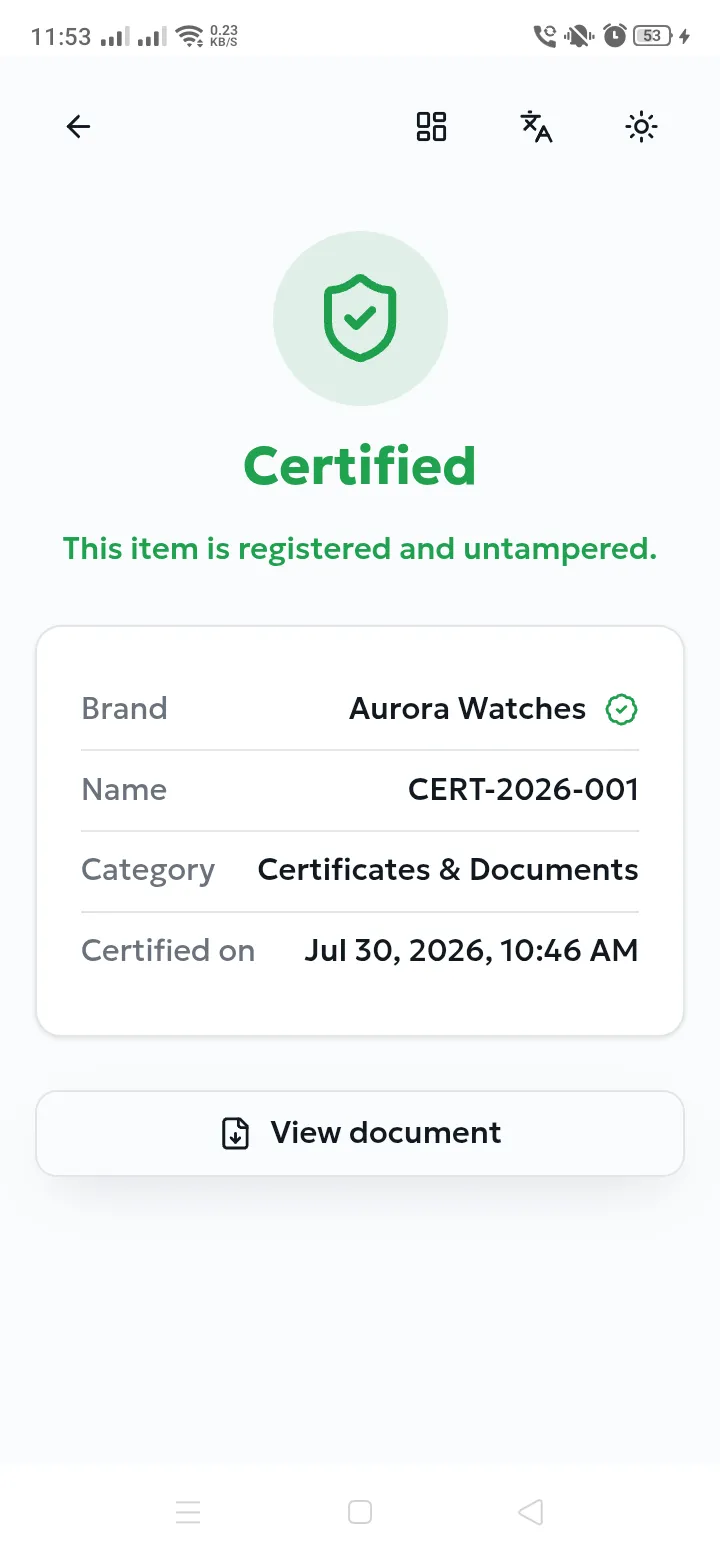
Section titled “Scanning an asset or a document code”Scanning is identical — the app recognises the kind of code automatically and shows a certificate view instead of a product view. It contains the brand, the item’s name or reference, its category, the date it was certified, and for assets the number of ownership transfers recorded.
| Verdict | Meaning | What to do |
|---|---|---|
| Certified | The record is registered and its digital signature matches — nothing has been altered. | Trust it. Use View document to open the certified file. |
| Not registered | No certified item matches this code. | Treat the certificate as invalid. |
| Verification failed | The record exists but does not match its signature — the data has been tampered with. | Do not trust it. Report it to the brand immediately. |
| Archived | The record was withdrawn by its owner and is no longer active. | Ask the brand whether the withdrawal was intentional. |
Checking a file you already have
Section titled “Checking a file you already have”Purpose. Confirm that a document you received — a certificate, a contract, a photograph — is the exact file the brand certified, even if it reached you with no code at all.
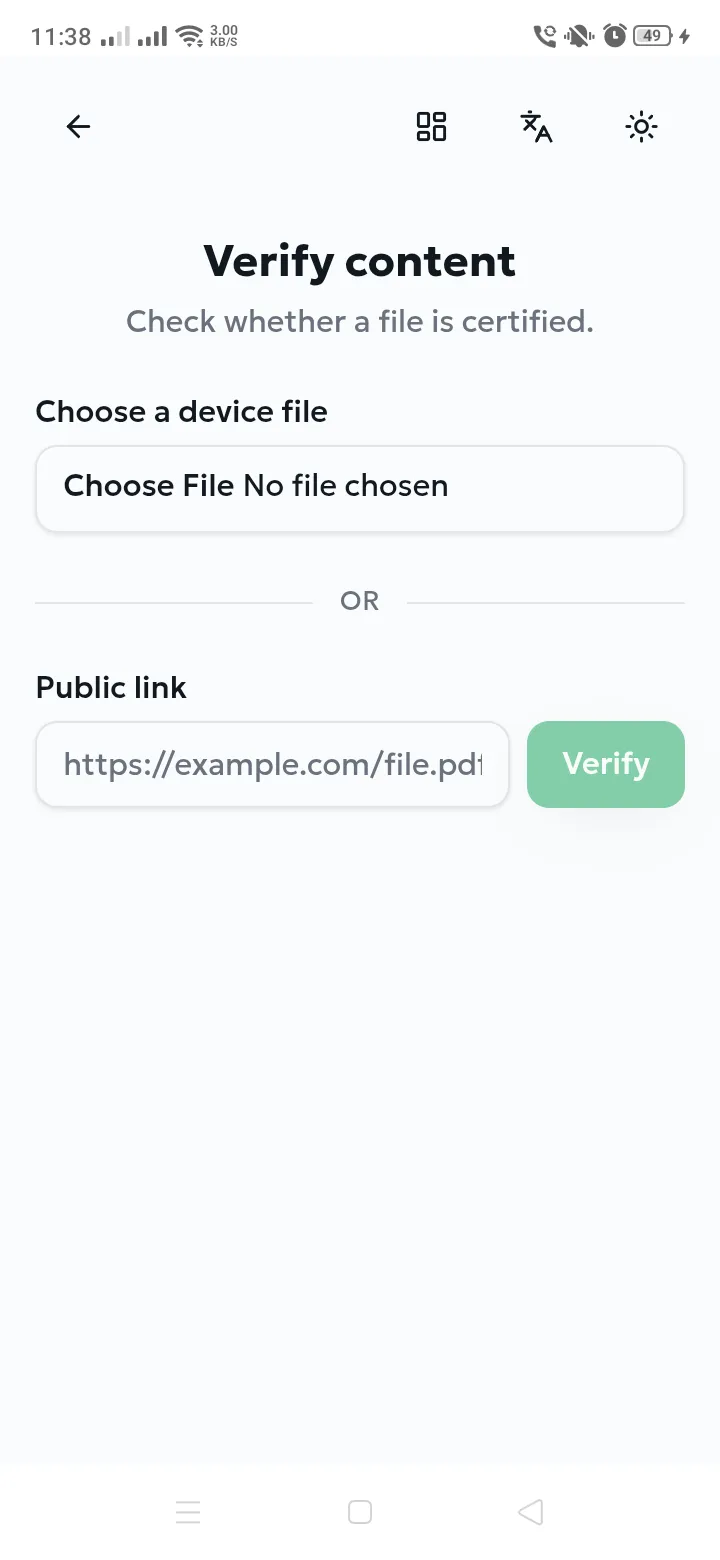
- From the home screen, choose Verify content.
- Select Choose file and pick the document from your device.
- The result appears at once.
Expected result. Certified if the file matches a certified record exactly; otherwise the file is not registered.
Checking a link
Section titled “Checking a link”Paste a public web address into Public link and select Verify. AuthPlus downloads the file and checks its fingerprint for you.
| Message | Meaning | Resolution |
|---|---|---|
| URL must be a valid http(s) link | The address is malformed or uses an unsupported scheme. | Paste the full address beginning with http:// or https://. |
| Could not download the link | The file is unreachable, requires a login, or the server refused. | Use a publicly accessible link, or download the file and check it directly (Checking a file you already have). |
| No certified content for that hash | The file is not registered with AuthPlus, or it has been modified since certification. | Ask the issuer for the original certified document. |