
User management
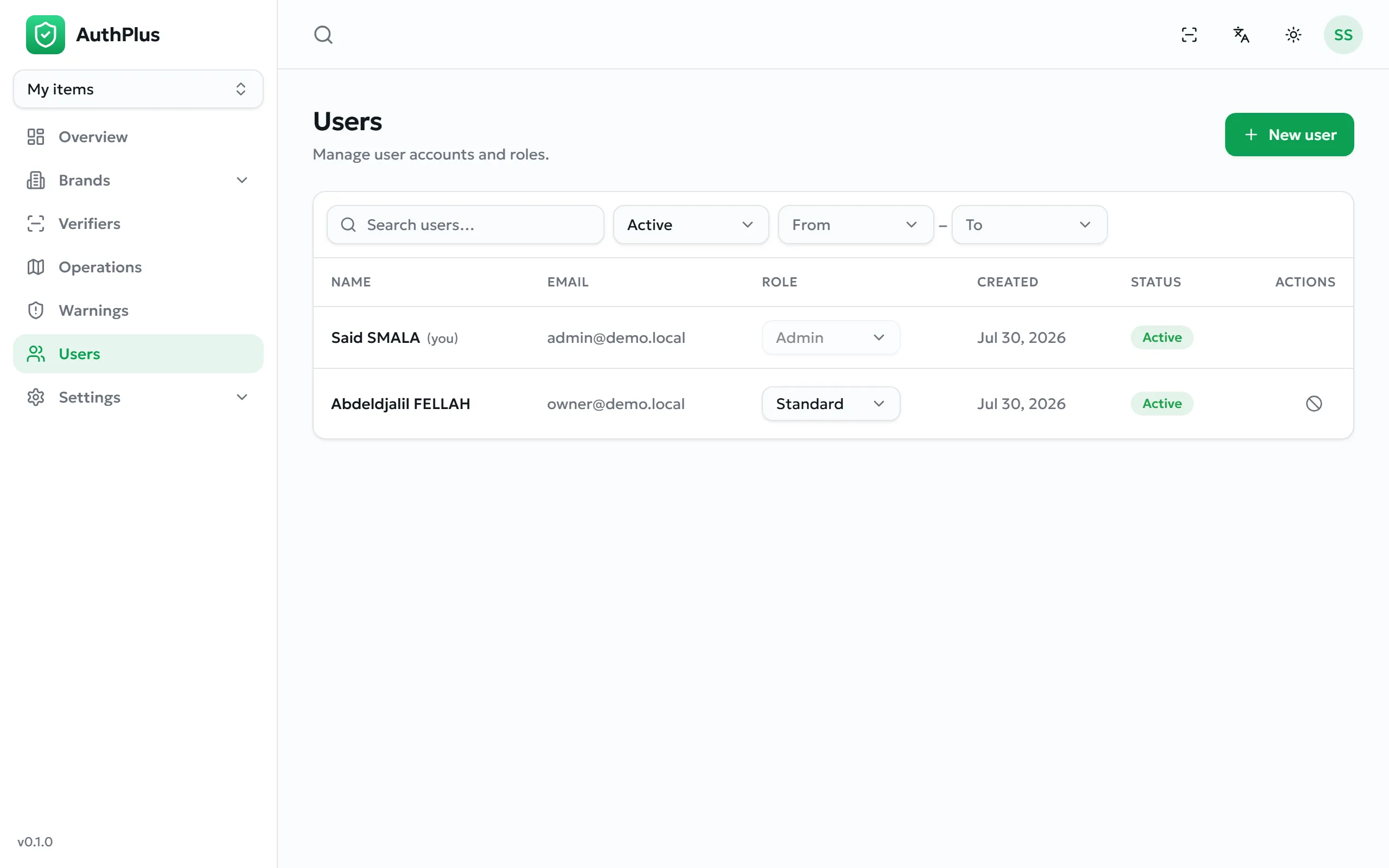
Creating accounts, granting roles, and withdrawing access.
Creating an account
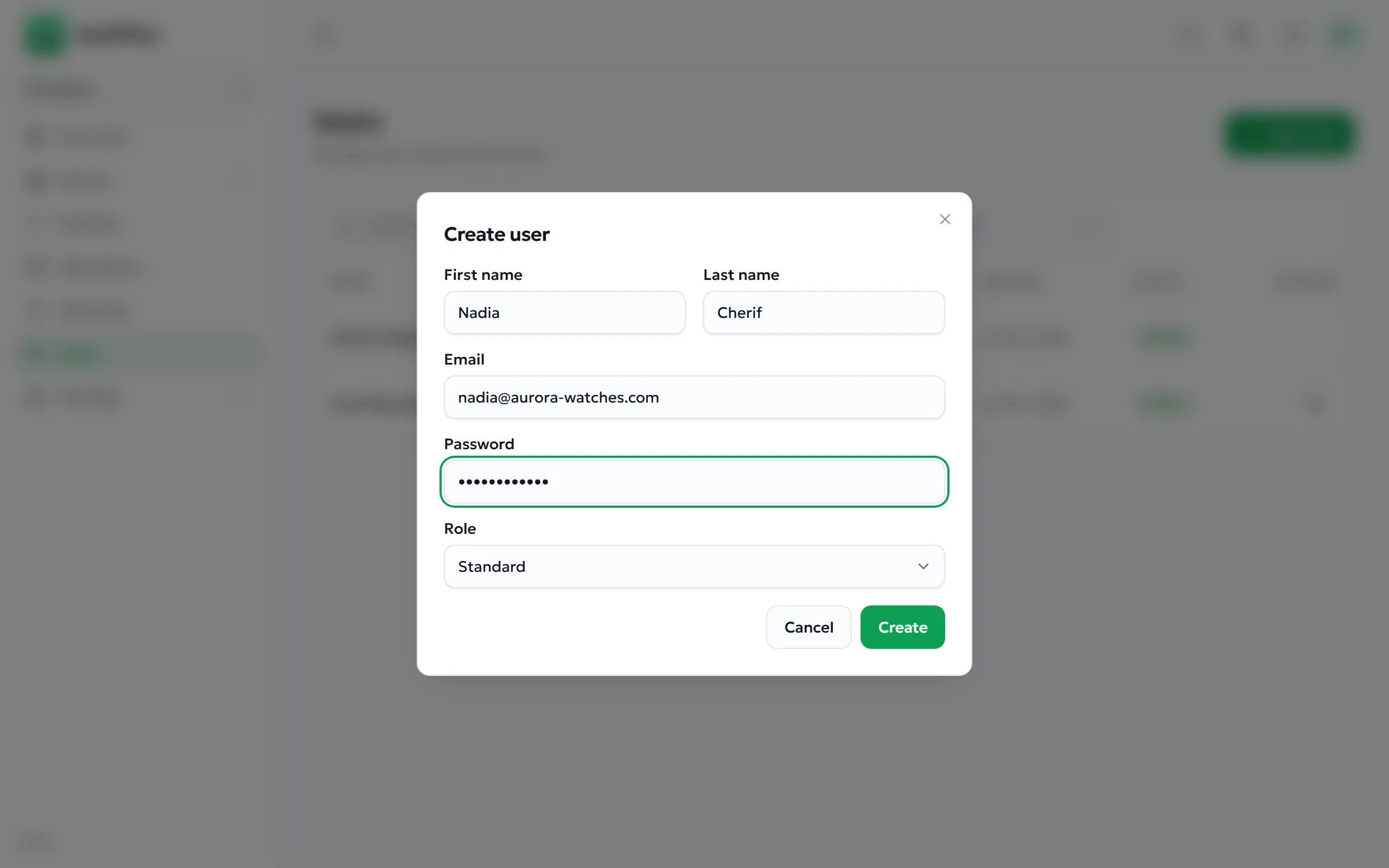
Section titled “Creating an account”- Open Users and select New user.
- Enter First name, Last name and Email.
- Set an initial Password of at least 8 characters.
- Choose the Role: Standard or Admin.
- Select Create.
Expected result. The account exists immediately and can sign in with the credentials you set.
Common errors
Section titled “Common errors”| Message | Resolution |
|---|---|
| An account with this email already exists | Search the list — the account may be archived rather than absent. Restore it instead of creating a duplicate. |
| A valid email is required | Correct the address. |
| Password must be at least 8 characters | Set a longer initial password. |
| Role must be ‘admin’ or ‘standard’ | Choose one of the two offered roles. |
Changing a role
Section titled “Changing a role”Use the role selector on the user’s row. The change takes effect the next time that user’s session refreshes.
Two changes are refused by design:
- You cannot change your own role — ask another administrator.
- You cannot change your own status — you cannot archive yourself.
The superadministrator account never appears in this list and cannot be modified from it.
Archiving an account
Section titled “Archiving an account”Purpose. Withdraw access when someone leaves, or suspend an account under investigation.
- Find the user and choose the archive action.
- Confirm.
Expected result. The account can no longer sign in and is marked Archived. Restoring it re-enables sign-in.