Control verifiers
Restricted inspection profiles, for enforcement staff and internal audit.
Everyday verifier types provision themselves; Control profiles do not. They are created deliberately and issued to a named person, and they can only verify Control-tier codes.
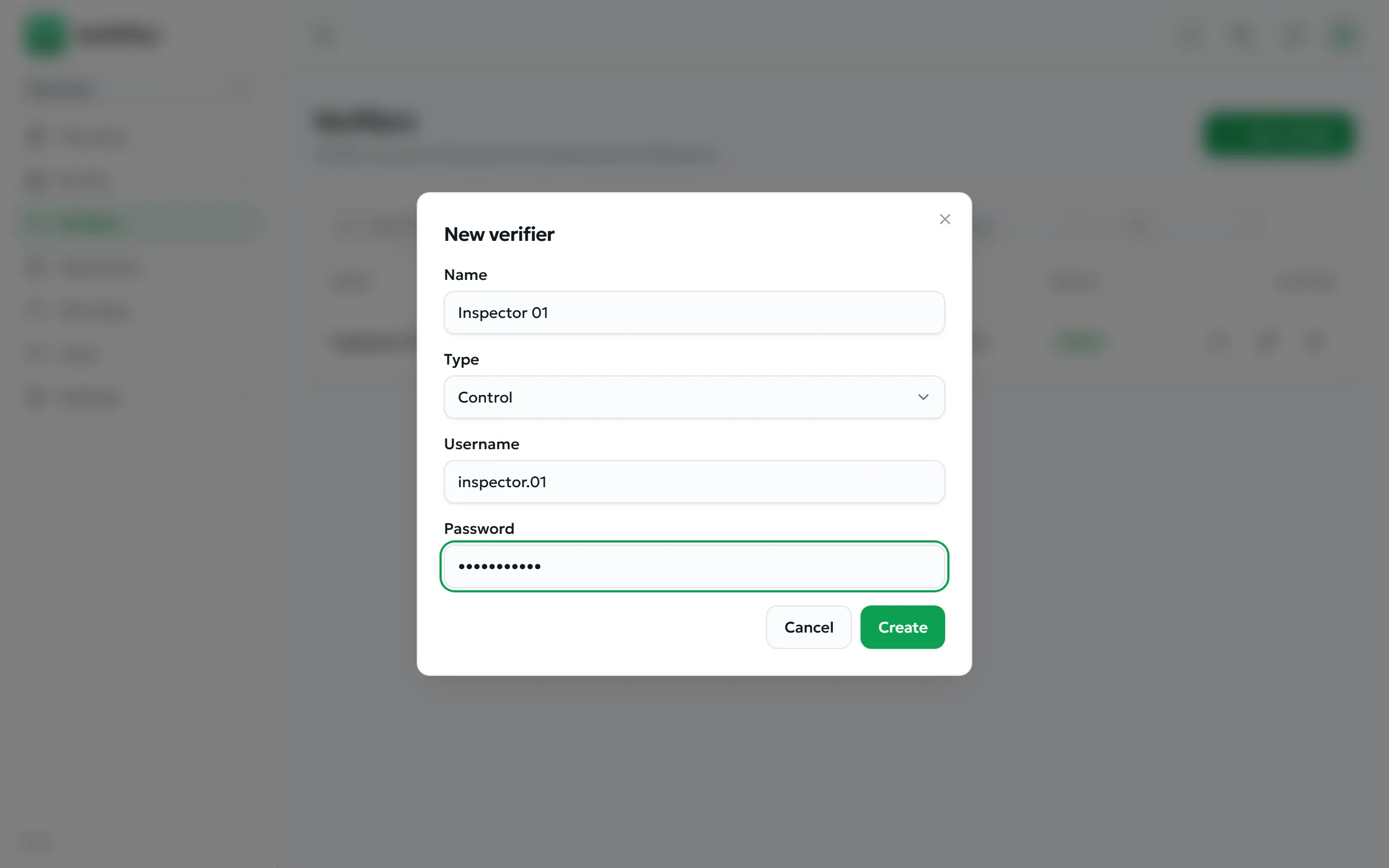
- Open Verifiers and select New verifier.
- Give it a recognisable Name — for example Inspector 01. This name appears in every scan history it produces.
- Choose Control as the Type.
- Set a Username and Password, then save.
- Hand the credentials to the inspector, who adds them in the app as described in Adding a professional profile.