
Dashboard tour
Where everything lives, and what the first screen is telling you.
The Overview page
Section titled “The Overview page”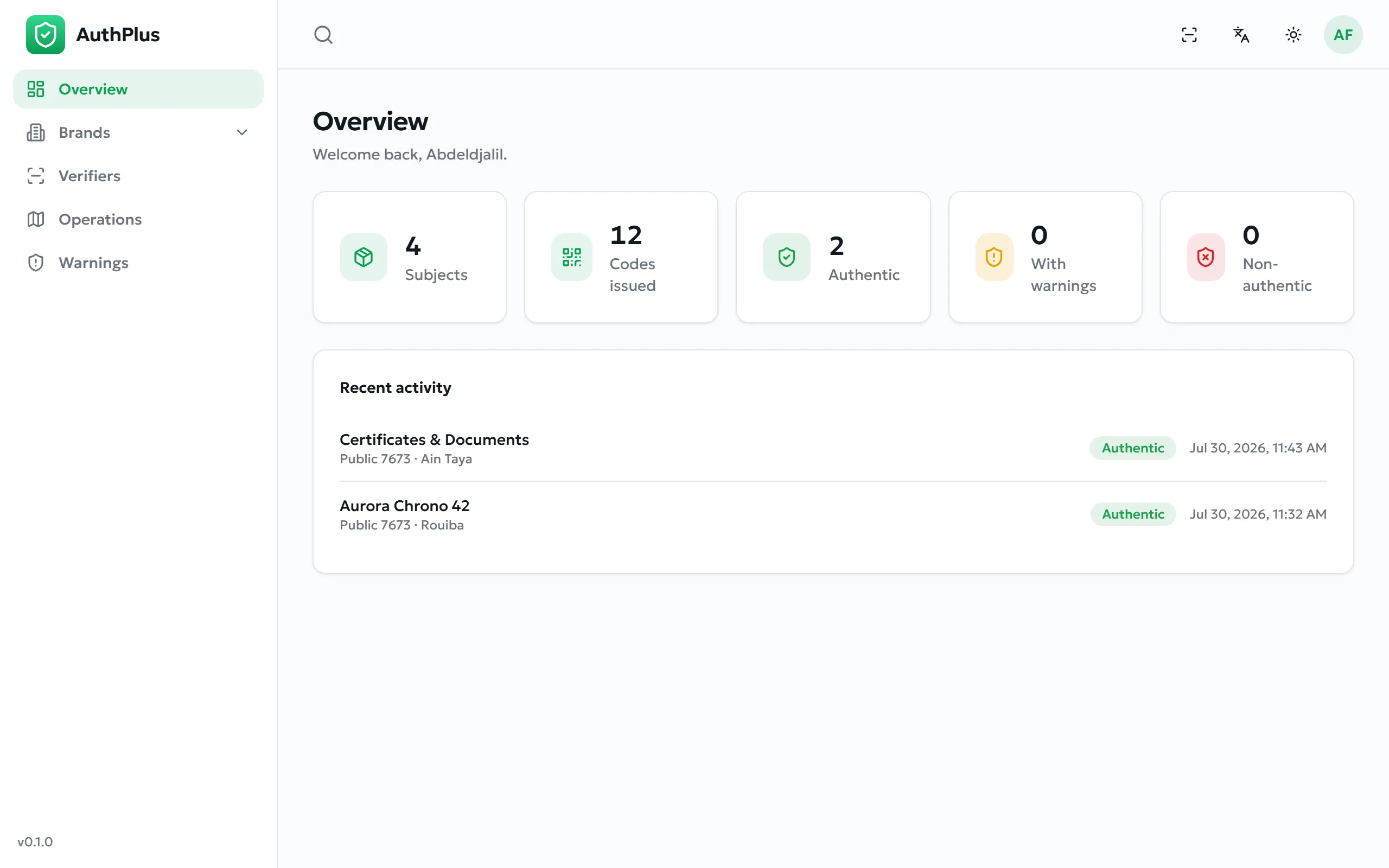
| Card | Counts |
|---|---|
| Subjects | Products, asset categories and content categories you have registered. |
| Codes issued | Every authenticity code you have minted, across all issuances. |
| Authentic | Scans that returned a clean authentic verdict. |
| With warnings | Scans that were authentic but flagged — repeat checks, custody conflicts, over-verification. |
| Non-authentic | Scans that failed: unknown codes, or codes you have withdrawn. |
Recent activity lists the five most recent verifications and transfers, each with its result and the place it happened. For the full list, use Operations.
Navigation and the top bar
Section titled “Navigation and the top bar”| Element | Purpose |
|---|---|
| Sidebar | Overview, Brands, Products, Assets, Contents, Verifiers, Operations, Warnings — and, for administrators, more (Administrator overview). |
| Warnings badge | A red count of unresolved warnings. It is hidden when there are none. |
| Search field | Searches brands, subjects, items and codes at once. Type at least two characters. |
| Scan icon | Opens the verification app, to check one of your own codes as a customer would. |
| Language / theme | Interface language and light or dark appearance. |
| Avatar menu | Profile and Sign out. |
| Version, bottom-left | The AuthPlus release you are using — quote it when contacting support. |
Patterns that repeat on every list
Section titled “Patterns that repeat on every list”- Search and filters sit above every table, including a date range on most.
- Status filter — lists show Active records by default. Switch it to see archived ones.
- Breadcrumbs at the top of detail screens climb back up the chain.
- Pagination shows 25 rows per page by default.
- Archive rather than delete — see Archiving — nothing is ever deleted.